
Introduction
Copilot Studio makes it super easy to add SharePoint as a knowledge source to your agents. However, there is one issue that I’ve noticed, which is that we cannot read the properties (metadata) of the documents in SharePoint. This is a problem because often important information about the document is not in the content itself, but rather in the properties of the document.
Take this example below. The agent has been granted access to a document library. I have added a couple of documents and purposefully added a value to the property called ReferenceID that is not in the document content itself. When I ask the agent to provide the value that would be in the ReferenceID property, the agent is not able to provide the value. If the value was in the document content, the agent would be able to provide it.
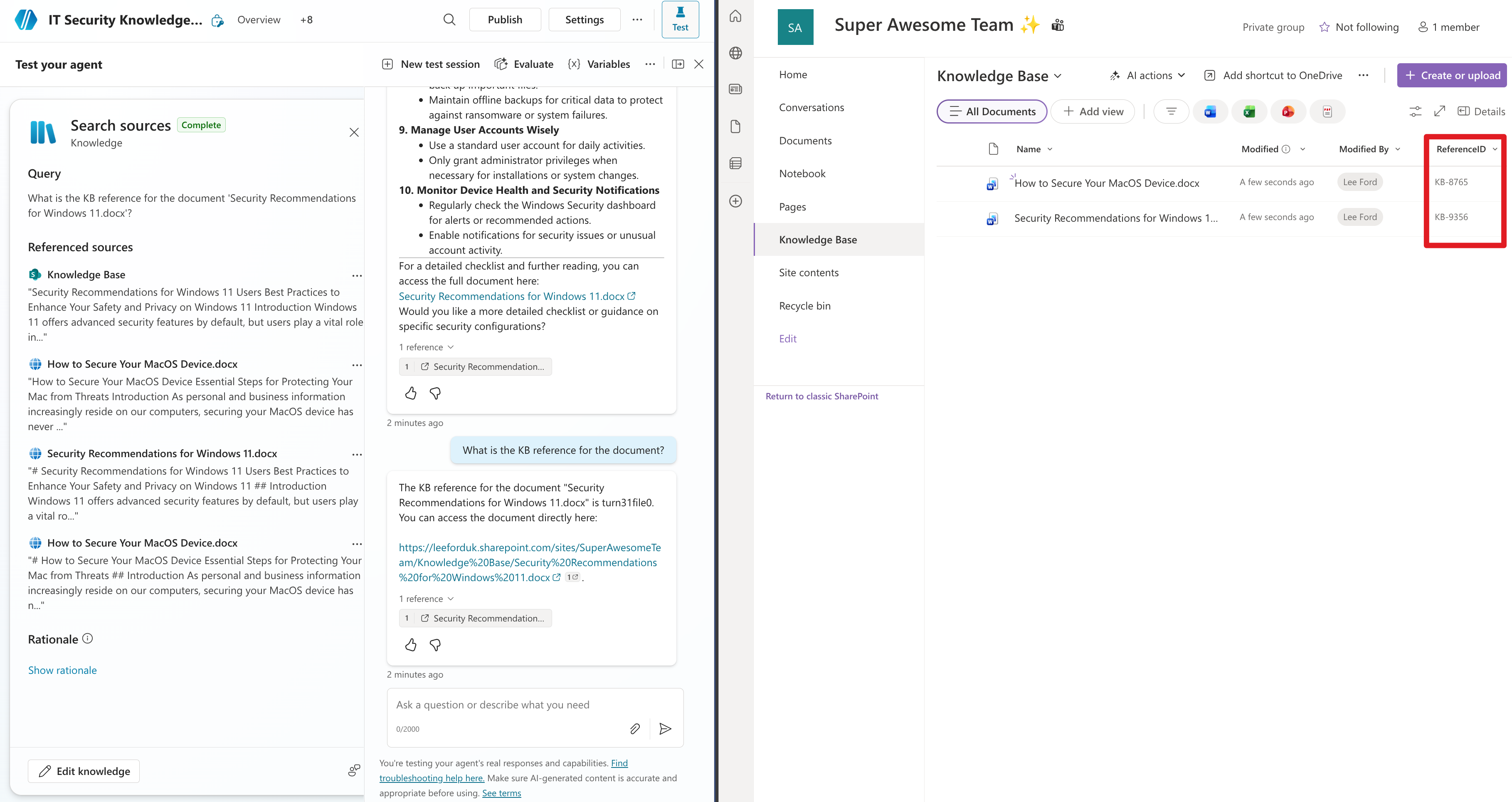
Digging deeper, if I ask for the value of the ReferenceID property, the agent will respond with something completely made up, as it has no knowledge of that property or its value (the value is actually KB-9356 in this example).

This is just a basic example, another might be where content is tagged or categorised in a certain way, but this is not part of the content itself, but rather a property of the document. In this case, the agent would not be able to see these properties - not ideal.
Why is this the case?
It all comes down to what is indexed and made available to the agent. When granting access to a SharePoint site or document library, the agent can access the indexed content of the documents, but not all the properties are indexed and made available to the agent.
Unfortunately, we cannot see what is or isn’t indexed, but the assumption is basic “built in” properties such as “Title”, “Author”, “Created Date” etc are indexed and made available, but custom properties such as ReferenceID are not indexed and therefore not made available to the agent.
Understanding the subtleties
We are talking about two key functions when using an agent with documents in SharePoint:
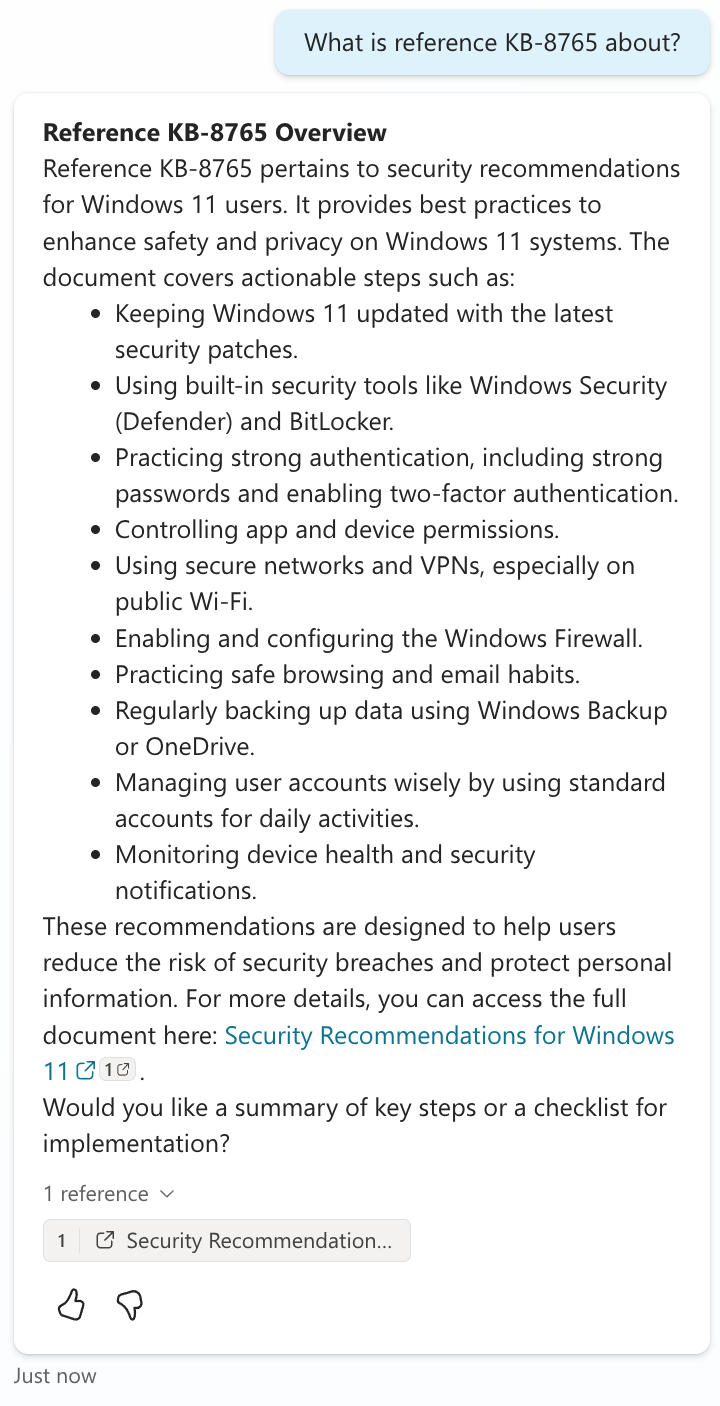
- Search - “What is reference KB-8765 about?” - search for the document using the value of the property and return the document contents (or a summary of the content)
- Retrieval - “What is the KB reference?” (of the document) - this is where the agent reads the content (and properties) of the document to provide a response
When it comes to search, you generally will find the document if you are specific enough. In our example, it will search (and find) the document and return the summary of the document:
However, when it comes to retrieval e.g. asking for additional information about the document in question, such as its ReferenceID, this is where we run into issues. The agent does not have access to all the properties of the document, so it cannot provide accurate information about those properties.
What doesn’t work
The first thing you might think would help is to map the “crawled” property to a “RefinableString” property in SharePoint search.

But sadly, this did not work. This is because the agent doesn’t use SharePoint search to retrieve documents. Instead, it uses the built in semantic index.

What does work
Indexing with Azure AI Search
I’ve previously written about how to index SharePoint content using Azure AI Search as an alternative to using the built in semantic index. By using this approach and specifying the additional properties (such as ReferenceID) you then can have these values indexed and available to the agent.
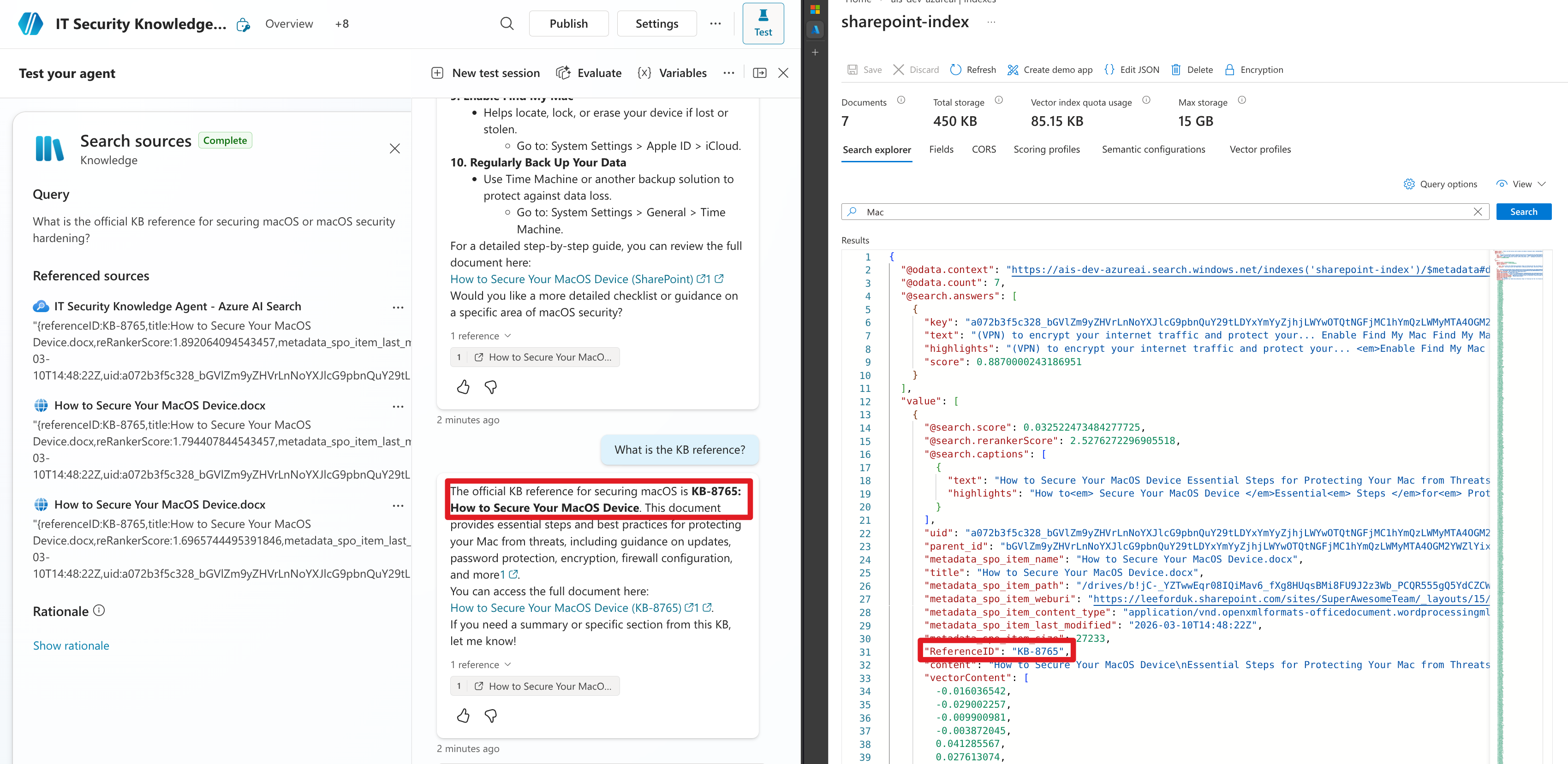
Stay tuned as a follow up post will cover how to set this up and index the additional properties to make them available to your agents.
Potential fix from Microsoft
There is currently roadmap item 516044 that is (as of March 2026) rolling out that sounds like it might improve the situation, but we will have to wait and see.
“We’re introducing column metadata support for queries in Microsoft 365 Copilot when a SharePoint library or folder is attached or its URL is provided. This enhancement improves contextual relevance by enabling Copilot to leverage additional metadata from the selected library, delivering more accurate and meaningful results.”
Recap
We have covered the fact that not all (or potentially any) of the custom properties of a SharePoint document are indexed and made available to the agent when using the built in semantic index in Copilot Studio. Whilst you will most likely be able to search for the document using the value of the property, you will not be able to retrieve the value of the property when asking the agent about the document.
In my experience, mapping the property in SharePoint search does not work, but using Azure AI Search to index the content and properties does work and makes these available to the agent. However, it does seem like Microsoft are aware and actively working to improve this.